
Never miss one again.
A birthday you already know is scattered across places that don’t talk to each other — one is in your address book, another is on a Telegram profile, and the person you actually message is on WhatsApp, where no birthday field exists at all. AI Reply Assistant matches those entries to each other, tells you who is celebrating today, and drafts the message in your own words.
How it works
Step 1 of 5: Sync Birthday
 WhatsApp1,463
 Telegram627


Sync Birthday
Two platforms carry a real birthday field, and every date the app knows starts life in one of them.
| Platform | How it gets one |
|---|---|
| iOS Contacts | Read whenever device contacts sync — and written back to when you add or merge a date. |
| Telegram | Collected automatically as contacts are enriched, when the person has added a birthday and made it visible to you. The year comes too, if they shared one. |
A run does three things:
- 1Your address book is re-read
The run starts by pulling the latest from iOS Contacts, so it never works from a stale copy.
- 2People are matched by phone number
Every contact carrying a number is grouped by the full number, so one person’s device, WhatsApp, and Telegram entries land together. The match has to be exact — a contact saved without its country code is left alone rather than matched to a stranger who happens to share the last few digits.
- 3The date fills in the blanks
Whichever entry in a group already has the birthday gives it to the ones that don’t.
Instagram and Messenger identify people by handle, not by number — so there is nothing for the match to work on.
- Overwrite a birthday you already have. It fills in blanks and nothing else, on every platform.
- Pick a winner when two dates disagree. Neither date is chosen for you and neither is lost — you keep both and decide which is right.
- Touch your address book photos. Sync Photos is its own separate menu item — merging birthdays leaves pictures alone.
A run is not the only thing that writes to your address book. Editing a name or a birthday inside the app, on a contact that came from iOS Contacts, is written back to that card so the two never drift apart. Contacts that exist only on a messaging platform are edited in the app alone — there is no address-book card to write to.
The same match, for photos
Sync Profile Photos sits directly under Sync Birthday in the same menu and finds people the same way — by phone number. What it does with the match is different: it saves that person’s WhatsApp or Telegram profile picture onto their card in your iPhone’s Contacts app, wherever that card has no picture of its own. A list of grey initials turns into faces, in the Contacts app and everywhere iOS shows a contact photo.
It writes to your device contacts and nowhere else. Nothing is sent back to WhatsApp or Telegram, and neither account is altered.
It is a separate action from Sync Birthday, so you can merge birthdays without touching a single picture, or add photos without going near a birthday. Run either one on its own, in any order.
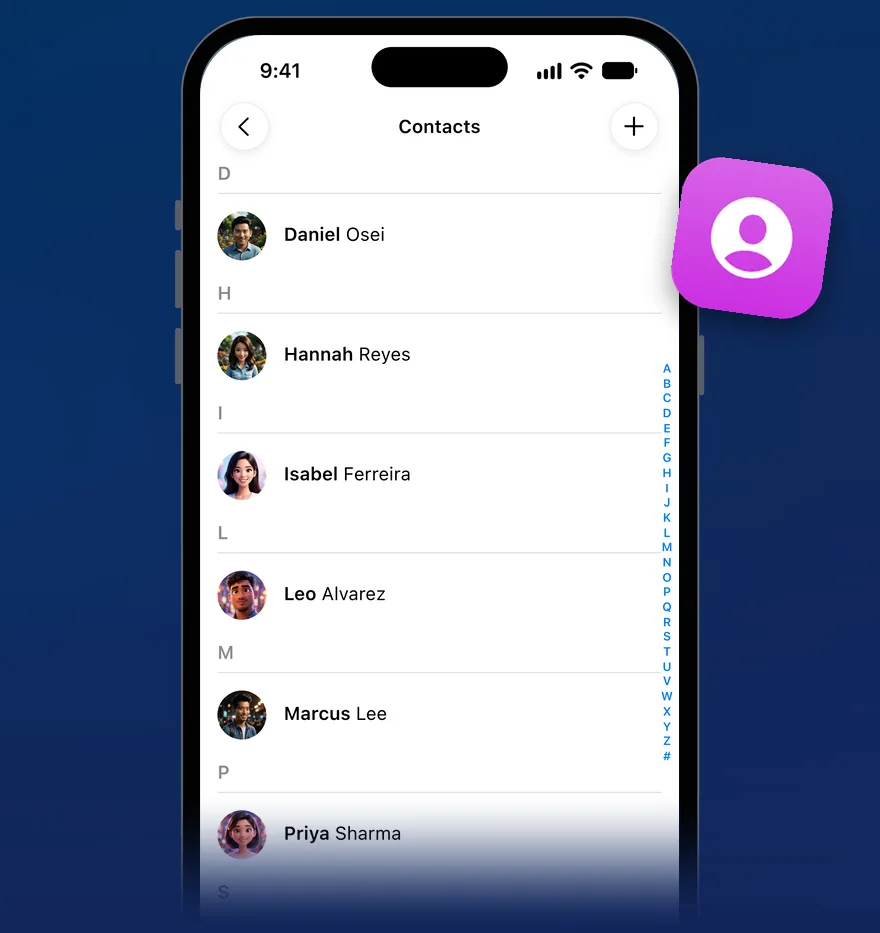
- It only adds a picture where there is none. A contact who already has a photo in the Contacts app is left exactly as they are. Yours is never replaced — not one you chose yourself, and not one an earlier run saved.
- The number has to match exactly. The full number, country code and all. A contact saved without one is skipped rather than matched to somebody who happens to share the last few digits.
- Anything ambiguous is skipped. If two entries in your address book share one number, neither gets a photo — there is no way to tell which of them the picture belongs to.
- It uses the pictures already loaded. Someone can only pass on a profile picture the app has already downloaded, which happens as you open chats and browse your contacts. Anyone missed this time can be picked up on a later run.
- Your default platform is not required. It runs whatever you have set, or nothing at all. That setting is read only when one person has a picture on both WhatsApp and Telegram — and even then it changes the result only if Telegram is the one you chose. Otherwise WhatsApp’s is used.
How saved messages, variables, and the / autocomplete work — the library your birthday greeting lives in.
Birthdays — common questions
Only on contacts that came from your address book in the first place, and only ever by filling a blank — Sync Birthday adds a missing birthday, Sync Profile Photos adds a missing picture, and an edit you make yourself in the app is written back to that card.
A birthday or a photo you already have is never replaced by either run. The only way an existing value changes is if you change it.
Ask the assistant. It searches the next 30 days, or a month you name, across your iOS Contacts and your platform contacts at once — soonest first, and with ages worked out where the year is known. Ask it to write the greetings too and it will draft them in the same reply.
Your personal AI assistant for messaging.
Download AI Reply Assistant on iOS and try it free.